# 推播

對話模組和其他內容都設定好後，現在最重要的就是來推播給用戶啦～

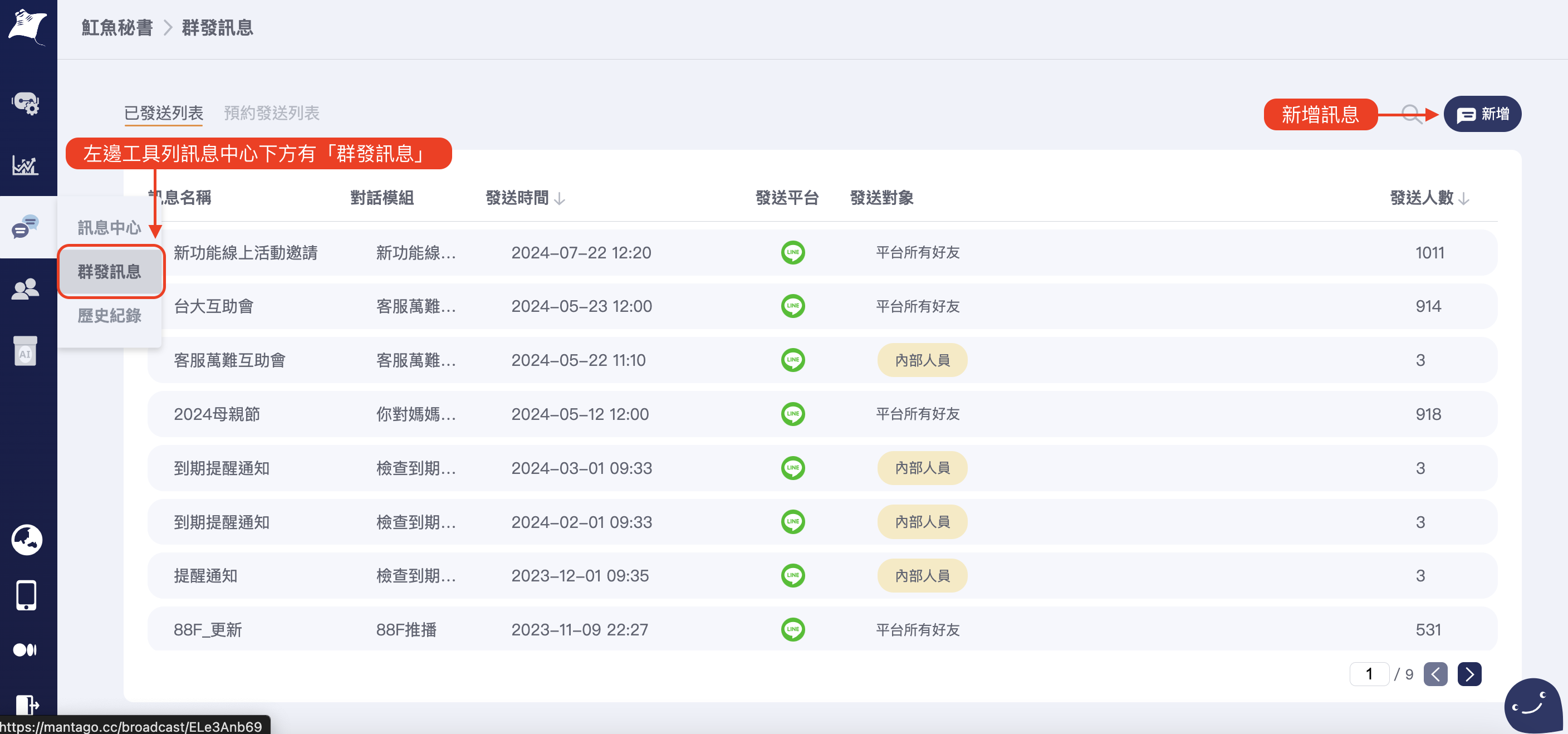
#### 在左側的訊息中心選取群發訊息

<figure><img src="/files/lZ3s5oW66ELOhLfFoEPZ" alt=""><figcaption></figcaption></figure>

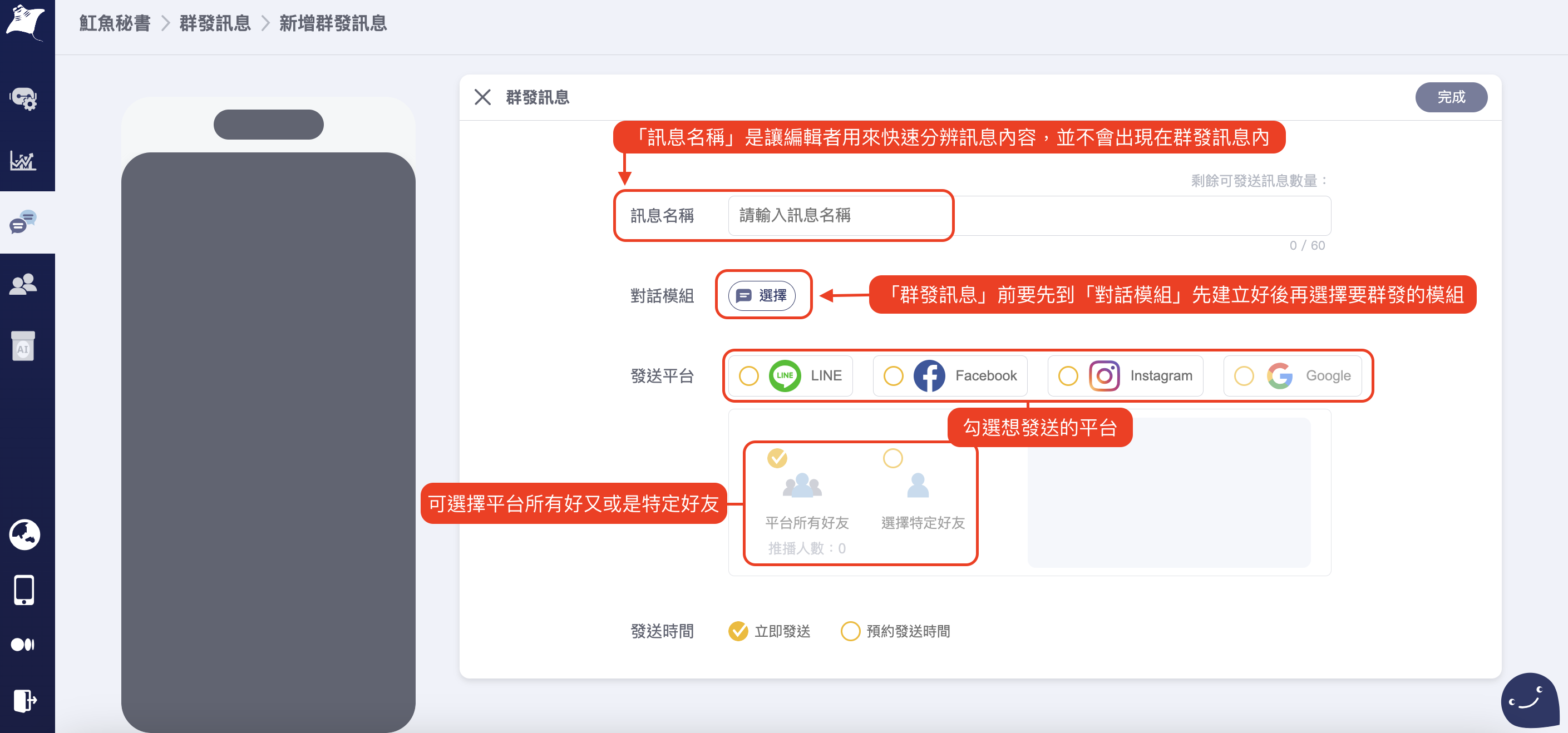
#### 進來後，依據選擇及填寫

<figure><img src="/files/gc15g0lZo1EoJ1cFjQUN" alt=""><figcaption></figcaption></figure>

{% hint style="info" %}
針對您的需求，可以思考看看這則訊息適合全部好友推播或特定好友。也可以預約發送時間喔～
{% endhint %}

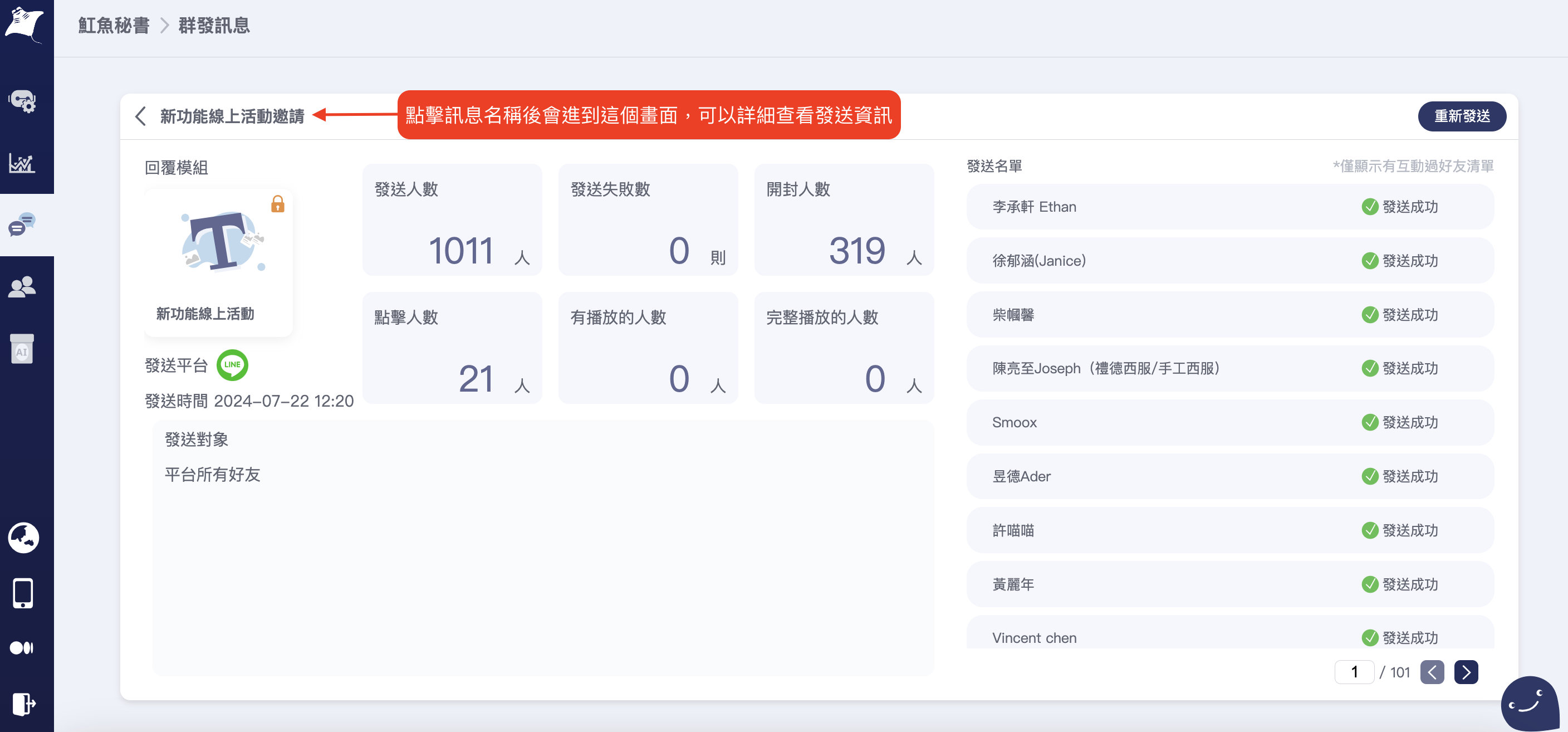
建立好後，點擊訊息名稱就可查看所有資訊

<figure><img src="/files/YgeTgoPusZ0dLOfRmYwU" alt=""><figcaption></figcaption></figure>


---

# Agent Instructions: Querying This Documentation

If you need additional information that is not directly available in this page, you can query the documentation dynamically by asking a question.

Perform an HTTP GET request on the current page URL with the `ask` query parameter:

```
GET https://blog.mantago.cc/zh/qi-ta/tui-bo.md?ask=<question>
```

The question should be specific, self-contained, and written in natural language.
The response will contain a direct answer to the question and relevant excerpts and sources from the documentation.

Use this mechanism when the answer is not explicitly present in the current page, you need clarification or additional context, or you want to retrieve related documentation sections.